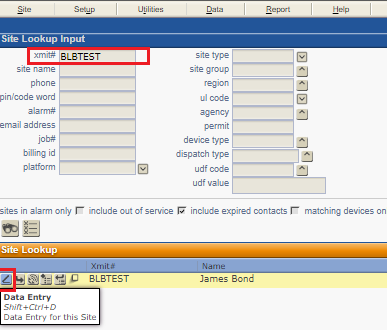
Access the elevator account in Stages. Site Lookup > Search the account in the Xmit field > Access Site Data Entry tab.
Once in the Site Data Entry tab, access the Device tab to add the elevator's device phone number to the Device Phone section.
If the account is a stand-alone elevator account, which is always recommended, update the Device Type to E to ensure it has the correct signal and event code configuration.
If the account is not a stand-alone elevator account, access the Quick Configuration tab to add the proper elevator alarm configuration.